 Reelvana
Best on-device auto caption app for iPhone in 2026
Reelvana 1.2.0 generates captions with Whisper on the iPhone, lets you correct and style them, and burns them into the export. Here is what we verified in the shipping release and what still needs your review.
Direct answer: choose Reelvana if your priority is on-device caption transcription, editable text, and Arabic right-to-left layout in the same app that records and edits the video. Version 1.2.0 has 15 caption styles, six entrance motions plus no animation, and per-word highlight. We did not measure a word-error-rate advantage over other apps.
Download on the App Store Get it on Google Play
What makes an auto caption app useful
Check four things: where transcription runs, whether you can correct the words, whether the renderer supports your language direction, and whether preview matches export. Accuracy also depends on the speaker, room, microphone, language, and model. A list of features cannot replace a test with your own recording.
What ships in Reelvana 1.2.0
Reelvana
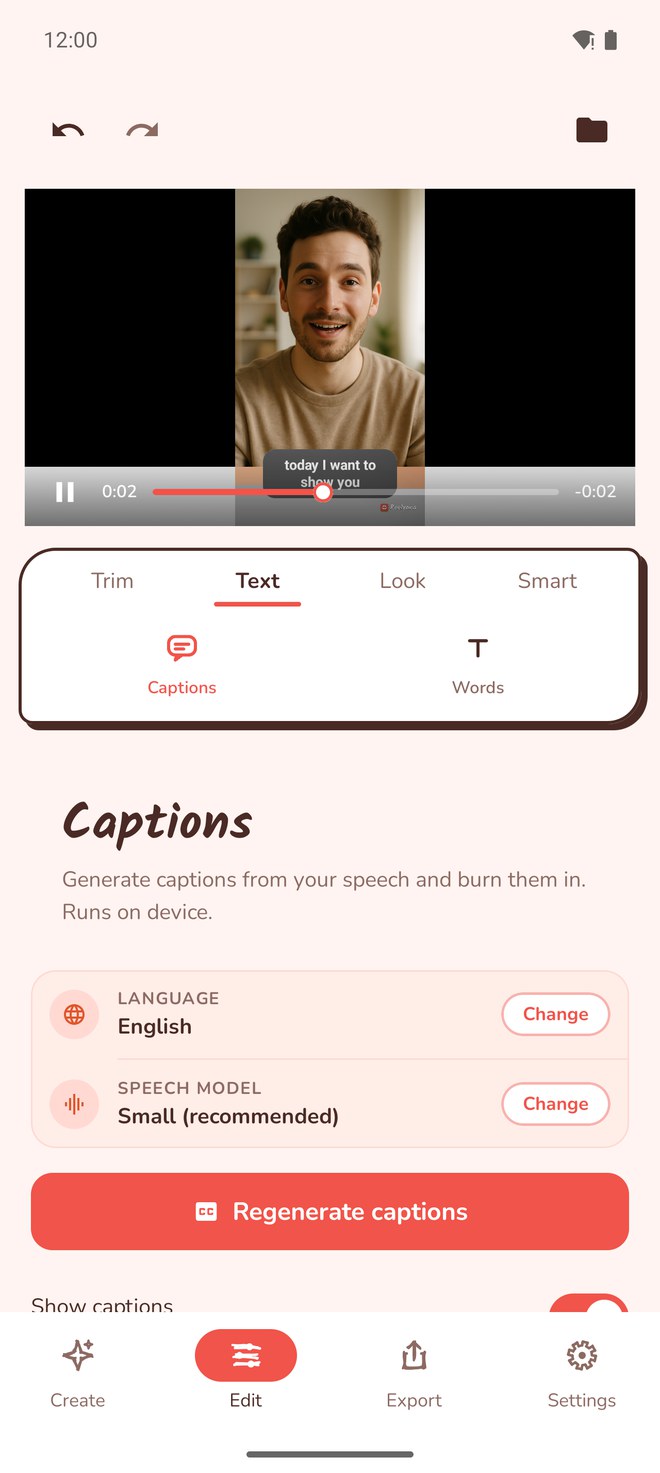
Generate captions from your speech on the device, then burn them in. Your video never leaves your phone.
- Included
- On-device Whisper transcription, 15 caption styles, six entrance motions plus no animation, per-word highlight, editable text, position and size controls, custom colours, Arabic transcription, and right-to-left rendering.
- Watch for
- The selected speech model downloads once and uses storage. Generated text can mishear names, numbers, jargon, fast speech, or dialect words. Preview and correct the captions before export.
- Best for
- Creators who want local caption transcription or Arabic right-to-left captions inside a recording and editing workflow.
Caption features and limits
| Question | Verified answer | Limit |
|---|---|---|
| Where does transcription run? | On the iPhone by default | The model must download first |
| Can I edit the words? | Yes, before export | Every generated transcript still needs review |
| Does it support Arabic? | Arabic transcription and RTL rendering | Dialect words, names, and numbers may need correction |
| What is burned into export? | Text, style, position, colours, and per-word highlight | Check the final file after export |
| Is cloud captioning available? | Yes, as an optional engine | It sends extracted audio for transcription |
How we verified the release
We checked the build 217 source used for Reelvana 1.2.0, including the iPhone caption screen, speech-model picker, caption data model, text editing path, preview renderer, and export burn-in. We counted the shipping caption catalogue from the release model: 15 styles and seven animation choices when “none” is included.
We did not run a cross-app word error rate test or score accents and dialects. This page therefore makes no accuracy ranking. The screenshot above is first-party evidence of the reachable controls, not proof that every recording will transcribe perfectly.
How to decide in one minute
- You need local transcription: Reelvana runs the selected Whisper model on the iPhone after its one-time download.
- You caption Arabic: Reelvana transcribes Arabic and renders the result right to left, but you should test your dialect.
- You need editable captions: Reelvana lets you correct the text before export.
- You need a measured accuracy winner: run the same representative clip through your shortlist. This page does not provide that benchmark.
Common questions
What is the best on-device auto caption app for iPhone?
For local transcription and Arabic right-to-left support, Reelvana 1.2.0 is a verified option. It runs Whisper on the iPhone, lets you edit caption text, and burns the result into the export. This page does not claim a measured accuracy lead over other apps.
Does Reelvana upload my video to make captions?
No. The default caption path runs on the phone after the selected model downloads. If you choose optional cloud transcription, Reelvana sends extracted audio for transcription, not the video file.
Does Reelvana caption Arabic video?
Yes. Reelvana 1.2.0 can transcribe Arabic on the device and render captions right to left. Dialect words, names, and numbers still need review before export.
Can I edit auto captions before export?
Yes. Reelvana 1.2.0 lets you correct caption text before export, then adjust style, position, size, colours, words per cue, and animation. The captions are burned into the exported video.
Caption your next clip on device
Transcribe, style, and burn in captions on your phone with Reelvana. Your video never leaves your phone, English or Arabic, free to try.
Download on the App Store Get it on Google Play