 Reelvana
A private video editor that doesn't upload your video
A private video editor should tell you which work stays on the phone and which requests use a server. Reelvana 1.2.0 records, edits, captions, and exports the video locally, with specific cloud exceptions listed below.
Direct answer: Reelvana 1.2.0 does not upload your video file. Capture, timeline edits, local captions, cleanup, background effects, watermarking, and export run on the phone. Optional cloud captions send audio. AI script tools send text. Vana can send a short command recording and transcript after asking for a cloud choice.
What “private” should actually mean
Privacy in a video editor is an architecture question: does the footage leave the device to get edited? A cloud feature can be useful, but it changes the data boundary. The useful test is to separate the video file, extracted audio, text you submit, and routine app telemetry instead of grouping them all under one vague privacy claim.
Reelvana is built so that your video never leaves your phone. Recording, timeline editing, on-device captions, silence and filler-word cleanup, background blur or replace, watermarks and export all run locally. Your video file is never uploaded.
What stays on your device
- Your footage. Recording and every edit happen on the phone.
- On-device captions. The default caption model runs locally, so your audio does not have to leave the device to be transcribed.
- Silence and filler-word removal. Dead air and “um”s are detected and trimmed on device.
- Teleprompter, editing, watermarks and export. The whole pipeline runs locally and works offline, including in airplane mode.
What can leave the device, only if you choose
Three content features can use the cloud when you choose them:
- Cloud captions. If you pick the cloud caption model instead of the free on-device one, the app sends the clip's audio track for transcription. Your video is never sent.
- AI script writing. When you generate or rewrite a script, the app sends your topic or prompt text.
- Vana, the voice assistant. Pro only. In 1.2.0, Vana asks before the first cloud request. Cloud recognition sends a short command recording for transcription. If local rules cannot interpret the result, Vana can also send the command transcript with limited editor context. Choosing on-device recognition keeps both parts local but understands fewer phrasings. Your video file is not sent.
Separate from those content features, Reelvana 1.2.0 uses Firebase for analytics, crash reports, messaging, and anonymous authentication, RevenueCat for purchase state, and Reelvana services for device registration, app configuration, and quota status. Those calls include identifiers and device or app metadata, but not the video file.
How we verified the boundary
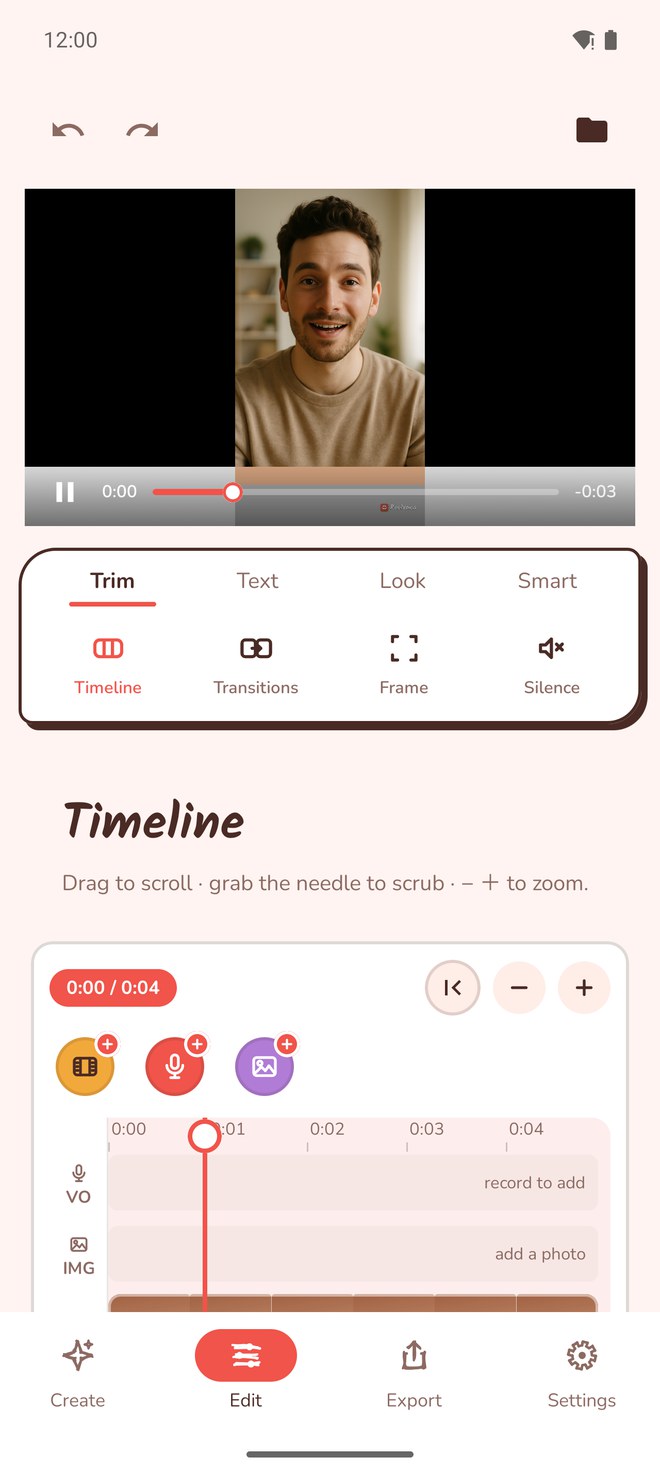
We checked the shipping build 217 source paths for capture, local Whisper transcription, cleanup, timeline composition, background processing, watermarking, and export. We also traced the network clients used by cloud captions, AI scripts, Vana, Firebase, RevenueCat, device registration, and app configuration. The screenshot above is from the shipping editor.
This is a source and interface audit, not a packet capture of every third-party SDK. It establishes what Reelvana's own media paths send and names the SDKs and services present in the release. Third-party service behavior and retention are governed by their own systems.
Limits to the privacy claim
- “Your video is not uploaded” does not mean the app makes no network calls.
- Cloud captions send extracted audio for transcription.
- AI script tools send the text or link you submit.
- Vana cloud recognition sends command audio and may send the transcript.
- Analytics, crash reporting, messaging, purchases, registration, and configuration send non-media data.
For policy language, read Reelvana's privacy policy. For a focused comparison, see Reelvana vs CapCut privacy.
What you get in one app
- Record in HD, with a pace-scroll teleprompter, and your music can keep playing while you film.
- Clean up silence and filler words automatically.
- Caption on device by default, or in the cloud if you opt in.
- Edit, brand and export with watermarks, then share to any app through the system share sheet.
- Pay once. Free to use, with Pro available monthly, yearly, or as a lifetime purchase.
Frequently asked questions
What makes a video editor private?
A private video editor keeps your footage on your device instead of uploading it to a server to do its work. Reelvana records, edits, adds on-device captions, cleans up silence and filler, applies watermarks and exports, all locally on your phone. Your video file is never uploaded.
Does Reelvana upload my video?
No. Reelvana 1.2.0 does not upload the video file. Optional cloud captions send extracted audio, AI script tools send the text or link you submit, and Vana can send command audio and a transcript after asking for a cloud choice. Routine app services also send non-media data.
Can I edit video offline with Reelvana?
Yes. Recording, timeline editing, cleanup, on-device captions, background effects, watermarking, and export run on the device. Download the caption model before going offline. Cloud captions, AI script tools, and Vana's cloud recognition need a connection.
Does Reelvana collect any data?
Yes, but not the video file. Reelvana 1.2.0 uses Firebase for analytics, crash reports, messaging, and anonymous authentication, RevenueCat for purchases, and a Reelvana service for device registration and app configuration. Optional cloud features send the content needed for that request.
Is Reelvana free?
Reelvana is free to use, with Pro available monthly, yearly, or as a one-time lifetime purchase instead of an endless subscription.
Edit privately on your phone
Record, prompt, caption, clean, edit and export, all on device. Your footage stays with you.
Get Reelvana on the App Store Get it on Google Play